
Make your first batch of ads
- Guides
- Updated October 27, 2026
A batch is a set of ads made from one brief: one product, one message, in every size you pick. It takes a few minutes, and you watch the ads appear on the board as they're made.
1. Pick what to advertise
Open Create. On the right you build the brief, top to bottom:
- Product is what the ads sell.
- Angle is what every ad says: the one message the batch is about. Your brand's own angles are listed first. Browse templates has ready-made ones, and New angle lets you write your own.
- Sizes are where the ads will run: Feed 1:1, Post 4:5, Story / Reel 9:16, Landscape 16:9 and Pin 2:3. Pick one or more.
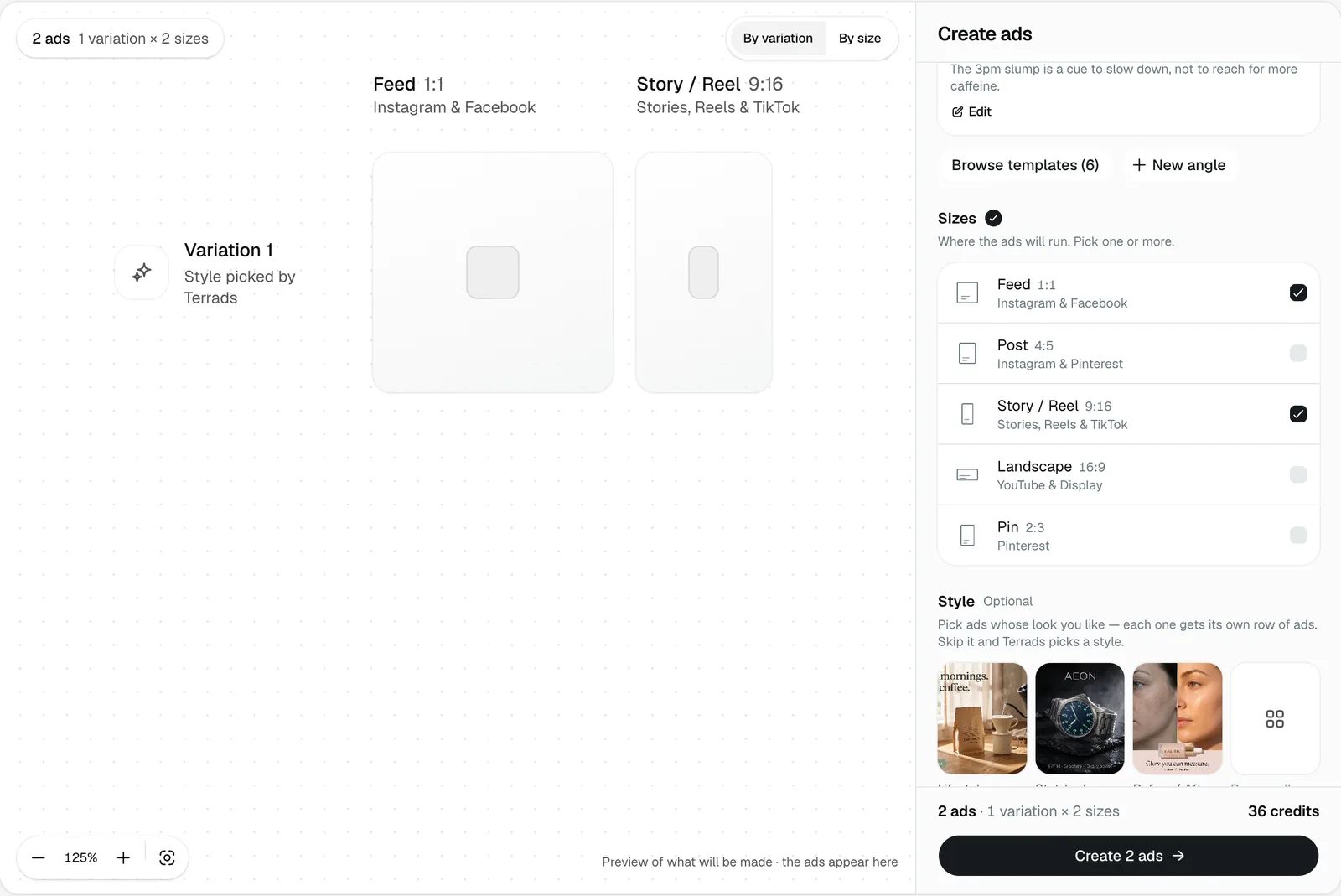
As you pick, the board shows the ads you're about to make, so you can see the batch before you spend anything.
2. Choose a style (optional)
Styles decide how the ads are laid out. Leave it empty and Terrads picks a different, fitting layout for each variation. To steer it, choose from the examples and templates, from real ads brands are running, or upload an ad you like.
A person says it puts one of your characters in the ad, beside your product's own photo, with one line in your brand voice and a button. Pick the character when you pick the style; the product needs at least one photo of its own. The variations take turns between three layouts, and you can switch a finished ad to another layout later.
Variations is how many different takes you get. Each variation is a different layout and a different way of saying your angle, in every size you picked. Pick more than one style and you get each variation in each style.
3. Fine-tune, then create
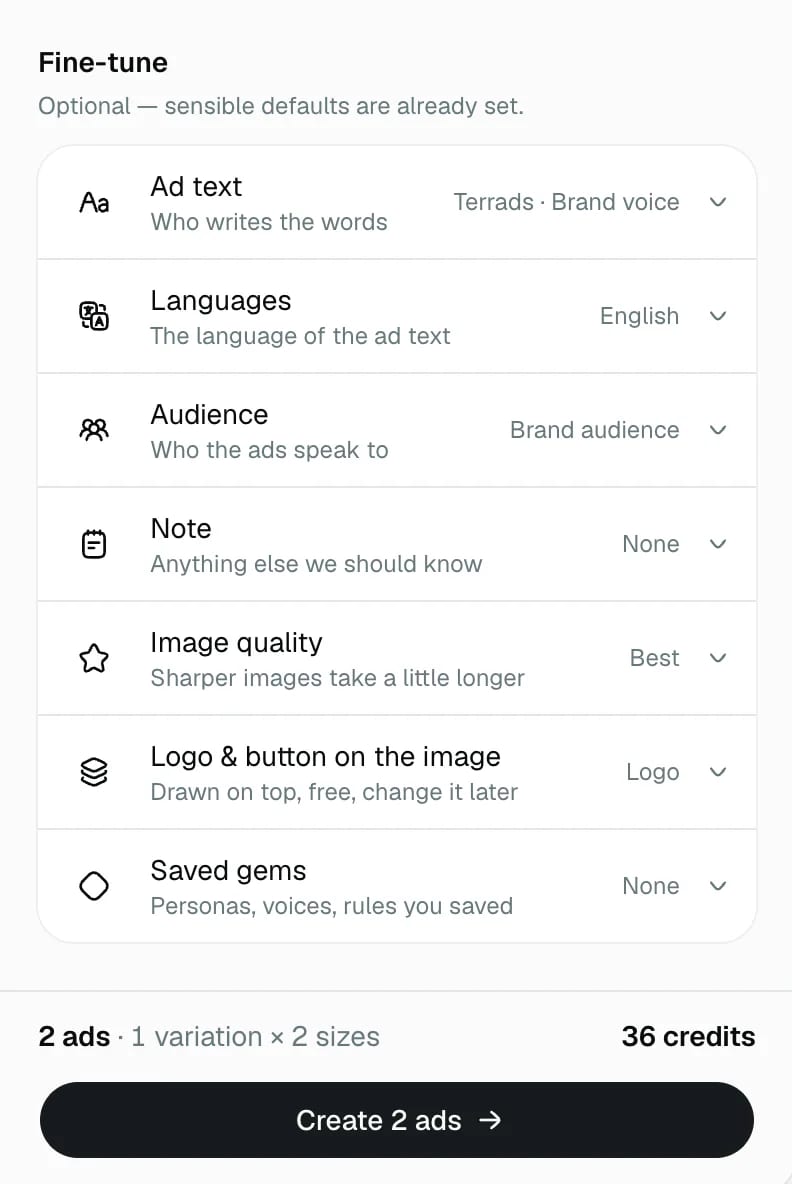
Fine-tune holds the rest, all set to sensible defaults: who writes the ad text (Terrads in your brand voice, or you), the languages, the audience, a note for anything else we should know, image quality, and whether to put your logo and a button on the image.
The bottom of the panel shows how many ads you'll get and what they cost, before you start. Press Create when it looks right.
While it runs
The ads fill in on the board one by one. Sometimes Terrads asks a quick question first, when something in the brief could go two ways. If you chose to review the text before the images are made, the batch stops for you to approve or change it.
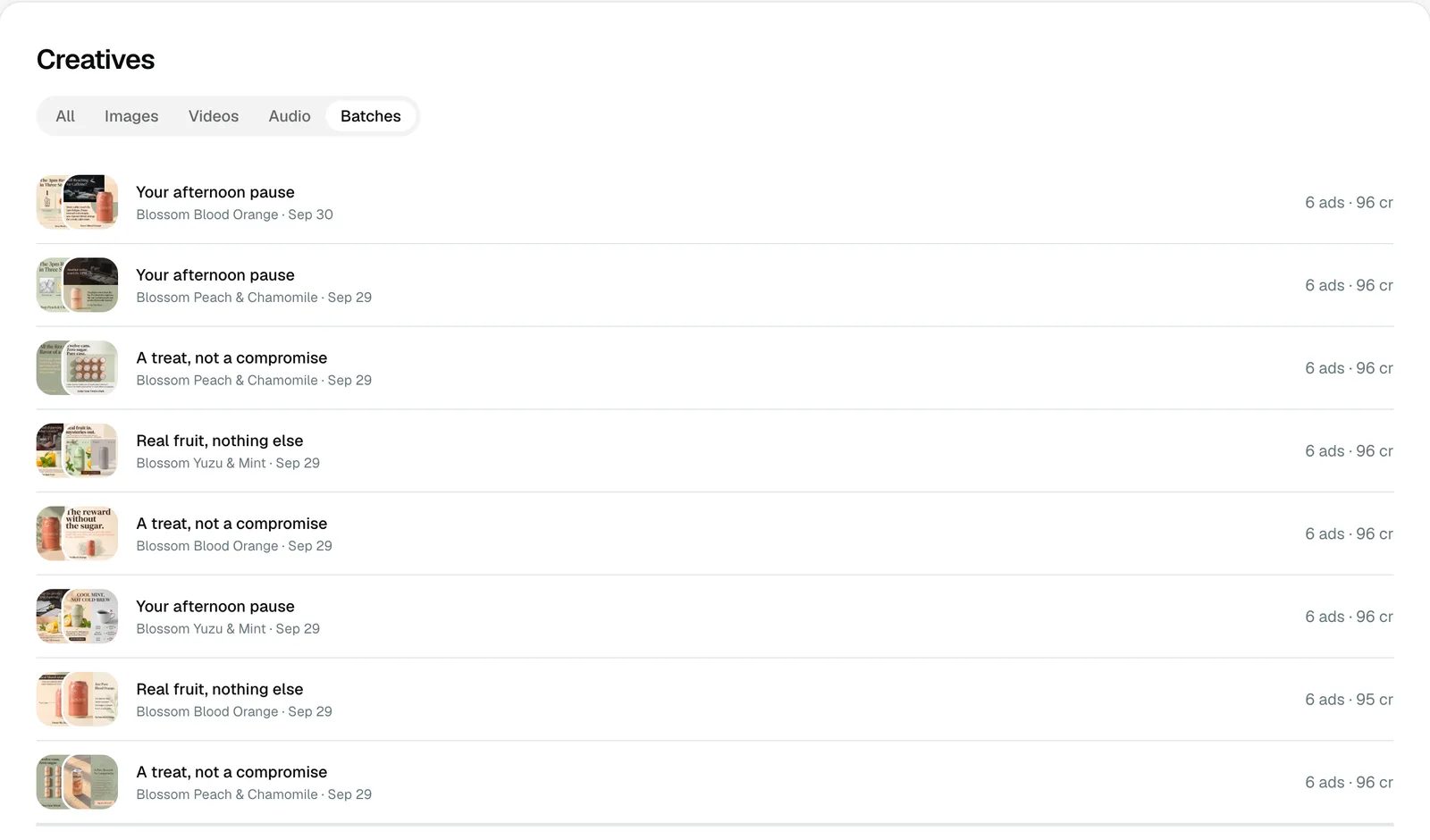
When it's done, every ad is saved to Creatives. The Batches tab there lists every batch you've made, so you can come back to one any time.
Next: change one part of an ad without remaking it.