

Features / Ads from your coding agent
Updated
Make ads from Claude Code, Cursor or any MCP client
Connect your coding agent, such as Claude Code or Cursor, with your API key. It can make, approve and download ads for your brand.
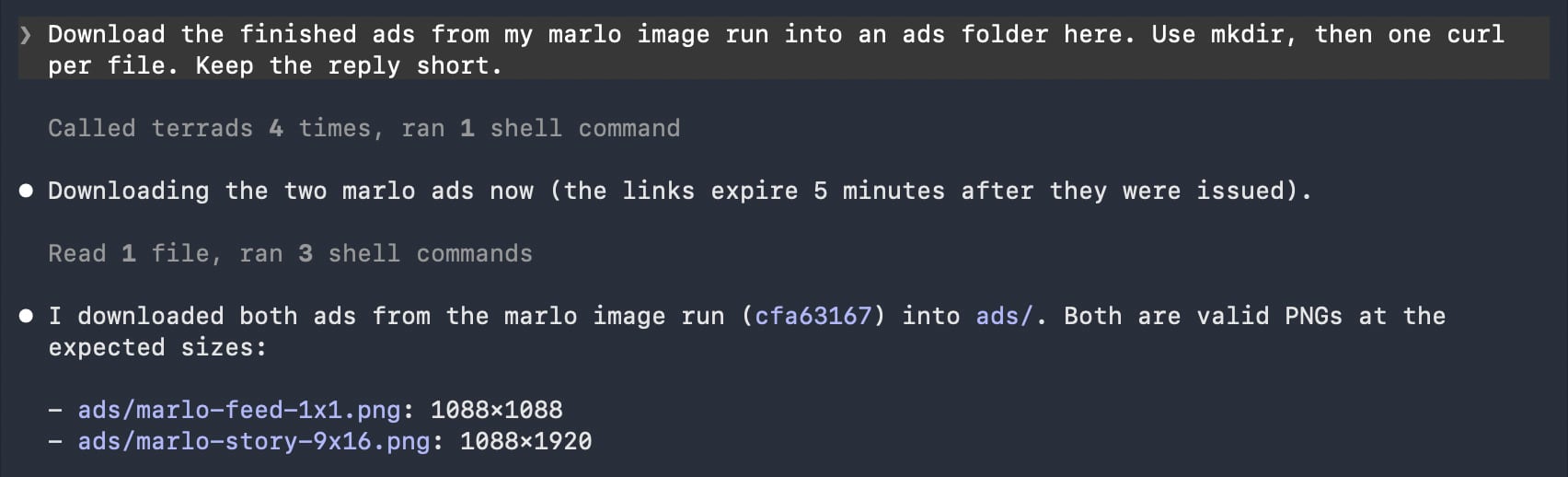
- Asked
- “Download the finished ads from my marlo image run into an ads folder here. Use mkdir, then one curl per file. Keep the reply short.”
- It did
- Called Terrads four times, ran its shell commands, and saved the feed and story ads into an ads folder
- Made
- Nothing new: it found a finished run and downloaded its files
A real Claude Code session connected to Terrads with an API key: it found a finished run and saved both of its ads. Nothing was made. The other screens are from Terrads; the brands are fictional.
How it works
- 01
Connect it
In Claude Code, add the Terrads plugin and paste your API key. Other clients connect the server with the same key.
- 02
Ask for ads
Say what you need in plain words. The agent finds your brand, product and angle.
- 03
Approve and download
It can show you the price and wait for your yes, then download the finished files.
- Any MCP client, with your API key
- Included with every paid plan.
- Makes, approves and downloads ads
- Same brand kit, same Creatives
What it can do
Nineteen tools behind one connection, for the whole run from brief to files.
- Finds your brand, product and angle
- Can show you the price and wait for your yes
- Starts the run and answers its questions with you
- Hands back the finished images, videos or audio ads
- Checks on, answers or cancels runs you started, here or in the app
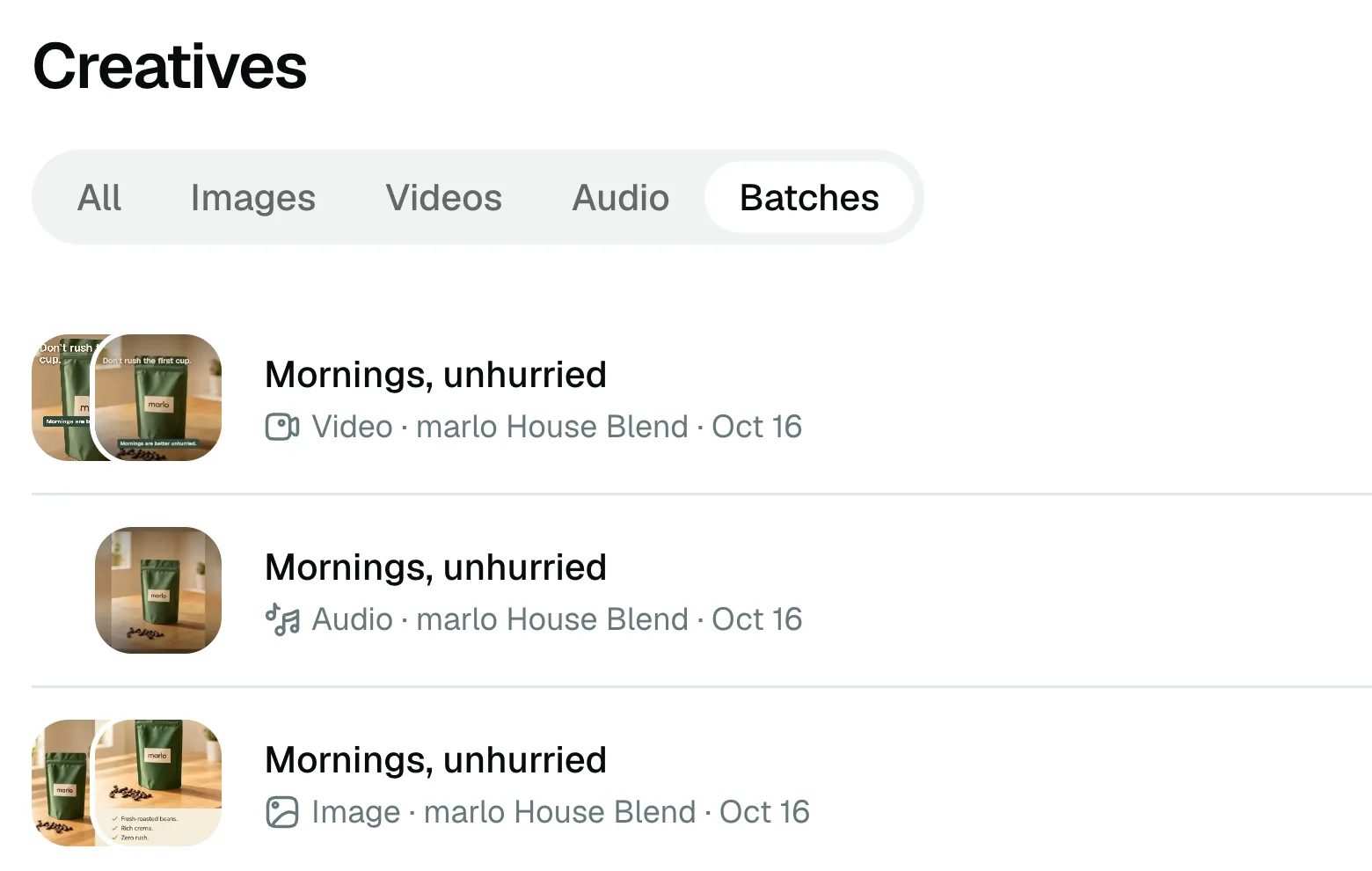
- Puts every ad in Creatives, next to the ones you make in the app
Things to ask
- “Make ads for the Summer Serum in Feed and Story sizes, in English and German. Let me approve the text first.”
- “Make a short video ad for the Summer Serum. Show me the plan and the price before you approve it.”
- “Make an audio ad for the new candle and read me the script before it's made.”
Connect it
In Claude Code, the plugin is two commands in a session; it asks for your API key when you enable it.
In a Claude Code session
/plugin marketplace add terrads-hq/agent-mode/plugin install terrads@terradsOr connect the server yourself, with the key in your environment
claude mcp add --transport http terrads https://terrads.com/api/mcp --header 'Authorization: Bearer ${TERRADS_API_KEY}'The guides walk through each client: Claude Code, Cursor and any MCP client.
Frequently asked questions
Which clients work?
Any MCP client works with your API key: your coding agent, such as Claude Code or Cursor, or any other MCP client. Claude Code also has a plugin that teaches it the Terrads steps.
Will it spend credits without asking?
With the plugin, the agent agrees a credit ceiling with you before it spends. Without it, ask the agent to show you the price first, and it waits for your yes.
Can it make video and audio ads?
Yes. It can plan a video ad and show you the plan and its price before approving it. It can brief an audio ad and read you the script first.
Where do the finished files go?
The agent gets links to the finished ads, and those links expire. Ask it to download the files, for example into an ads folder in your project; every ad also lands in Creatives.
Which plan do I need?
Any paid plan. Starter, Pro and Max all include API access, and the ads your agent makes use your plan's credits, the same as ads you make in the app.
The specs behind it
Free tools
More features
Get your API key
Create a key in Settings; every paid plan includes API access. Then connect your coding agent: the setup guide walks through Claude Code, Cursor and any MCP client.
New here? You'll sign in and set up your brand once first. Making ads needs a paid plan.