

How credits work
Terrads runs on credits. Making ads, edits and translations use them; looking, downloading and previewing never do. You always see the price before you start.
What uses credits
- Making a batch. The total shows at the bottom of the brief, before you press Create. It grows with the number of ads: variations times sizes, times the styles you picked, if you picked more than one.
- Changes to an ad, like marking an area, trying a variation or changing the background. The price is on the button.
- Adding sizes and languages to a batch or an ad.
- Writing more options of post text.
What's free
- Adding, moving or removing your logo and button on an ad.
- Downloads, previews and the platform mock-ups.
- Browsing styles and templates, and setting up your brand and products.
Plan credits and extra credits
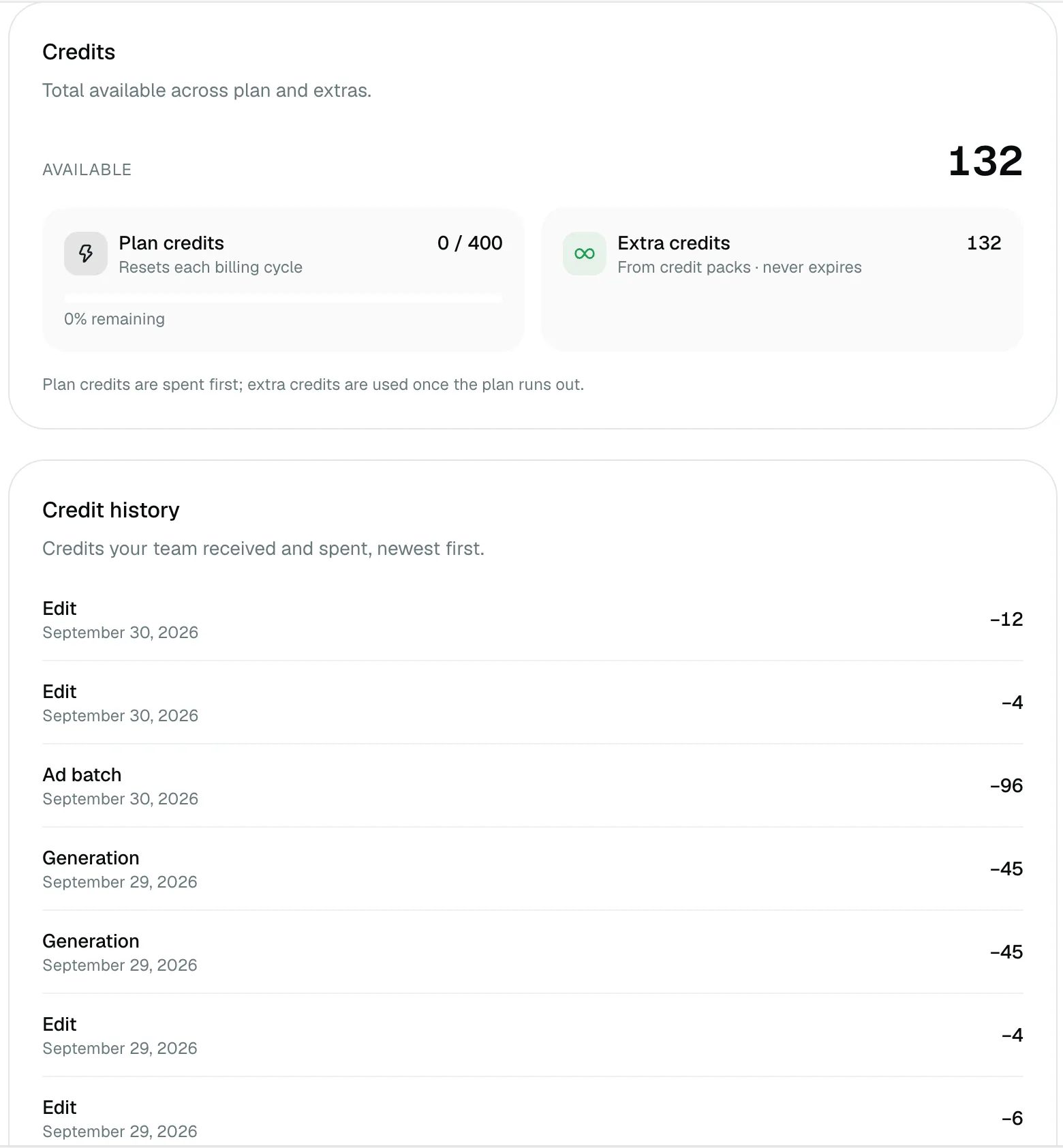
Your plan gives you credits each billing cycle. Extra credits come from credit packs and never expire. Plan credits are spent first; extra credits are used once the plan's run out.
If something fails
If an ad or a change doesn't come out, the credits for it come back automatically. You don't have to ask.
Credit history
Settings → Billing shows your balance and a Credit history: every batch, edit and refund, newest first, with the credits it used or gave back.
Busy moments
To keep things fast for everyone, only so many things can run at the same time for one team. If you hit that, the app tells you, and you can start the next one as soon as something finishes.