

Make audio ads
An audio ad is one voice reading a script over music, 15 or 30 seconds long. It's for Spotify, podcasts and streaming radio, and, as a video of the same spot, for feeds where audio runs as video. Like a video ad, Terrads writes the script first, and you check and edit it before anything is made or charged.
Audio ads are in English for now.
1. The brief
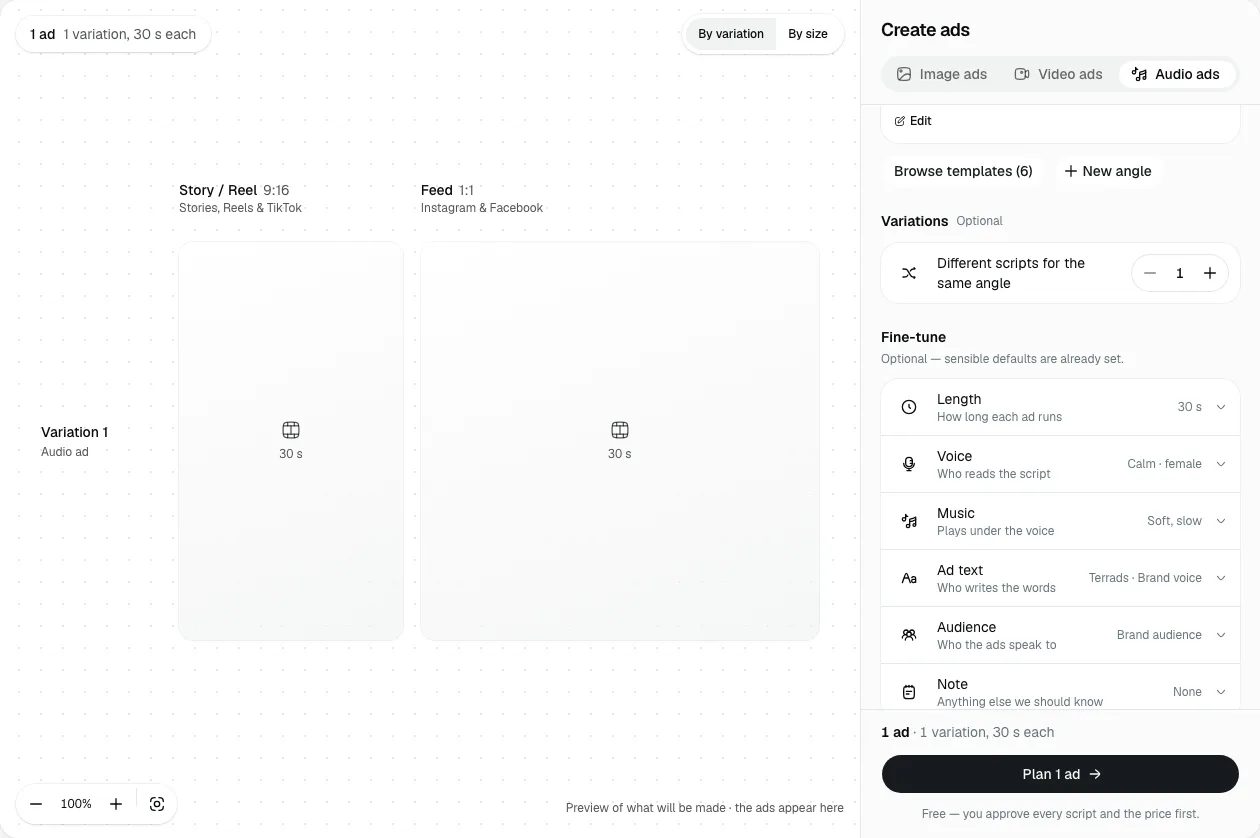
Open Create and pick Audio ads at the top of the panel. Then:
- Product and Angle, as for an image batch. The ad's picture is one of the product's photos, so a product with photos makes the best one.
- Variations is how many different scripts you get for the same angle, up to 3.
There are no sizes or styles to pick: every audio ad comes as an MP3, a 9:16 video and a 1:1 video.
Fine-tune holds the rest, already set to sensible defaults:
- Length: 15 s or 30 s. A fresh audio ad starts at 30 s.
- Voice: Calm, Bright or Steady, each with a sample to hear. An audio ad always has a voice.
- Music: Soft, slow, Warm, Upbeat or No music. A track is made for each ad, trimmed to its length.
- Ad text: Terrads writes the script, a headline and the button text.
- Audience and Note, as for an image batch.
Voice and music are set here for the whole run. After the ad is made you can still change them (see below), but not while you check the scripts.
Press Plan. Planning is free.
2. Check the scripts
Each variation comes back as a card under Check the plans. Nothing is made or charged until you approve.
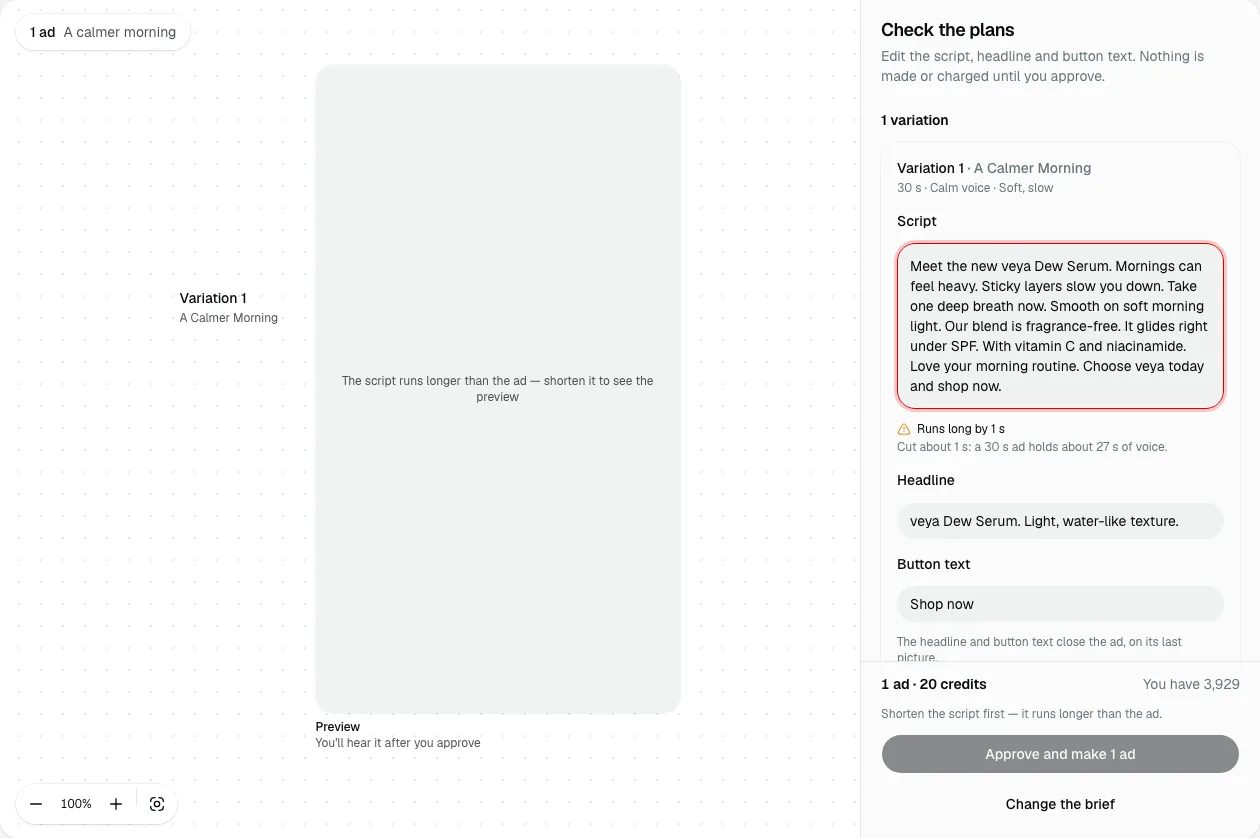
- Script is what the voice reads. Edit it freely. Under it, a meter says whether it fits the length, like Fits · about 27 s, or Runs long by 3 s with what to cut: a sentence to split or shorten, or about how many seconds to lose. A script that runs long is kept exactly as you typed it, never cut, and Approve waits until it fits. For a 30-second ad, about 45 to 50 words read calmly is a good target.
- Headline and Button text close the ad, on its last picture in the videos.
- The picture sits under the voice from start to end: one of your product's photos, or your brand colour when the product has none. With more than one photo, Swap picks another. A photo with words on it is marked Has words on it and is shown whole in the videos rather than cropped.
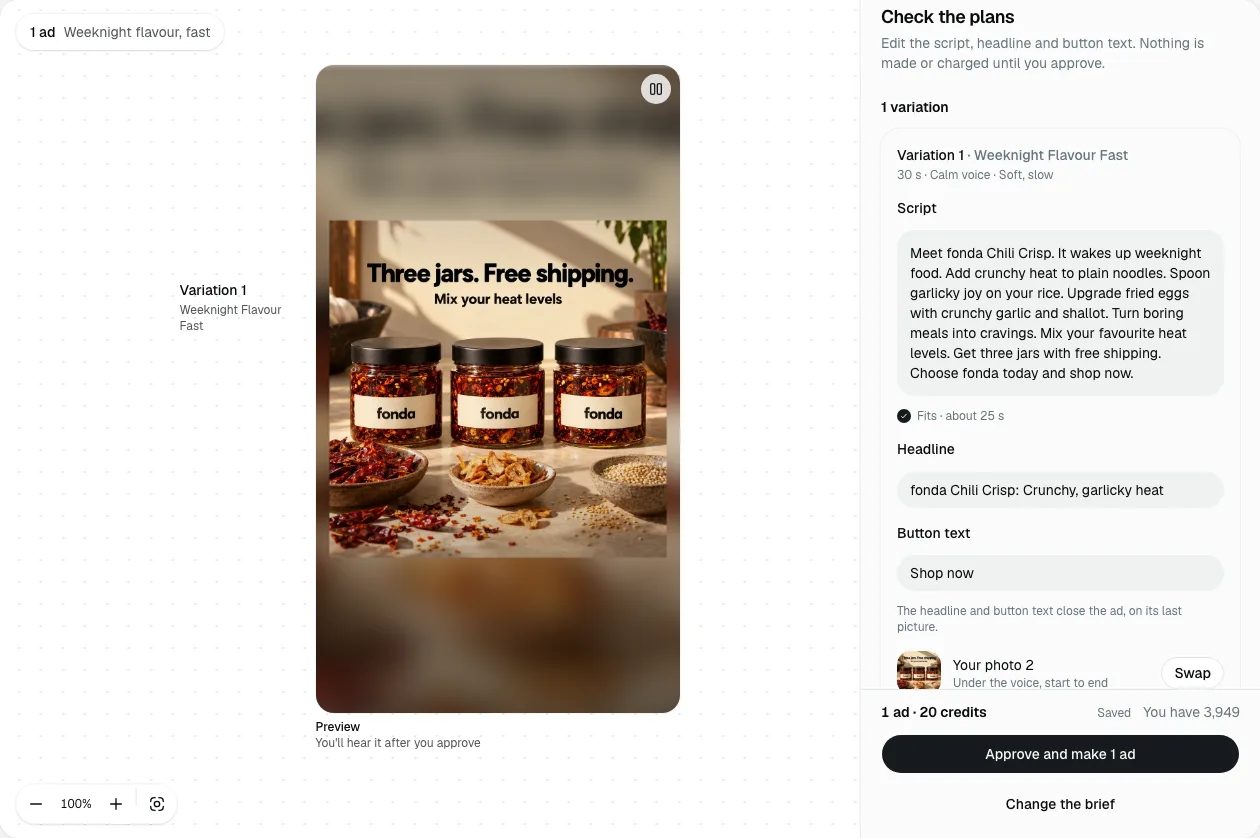
The script Terrads writes names your brand in its first sentence and again later, and ends on the call to action. Keep that shape when you edit: a listener can't scroll back.
The Price card shows what you're paying for and the total for every ad. Approve and make charges that total once, and making starts. If a variation didn't come out, the board says We couldn't plan this one; Try again is free. Change the brief throws the scripts away and starts again.
3. While it's made
The panel shows each step: the voice, the music, putting each ad together, and a final check. It usually takes a few minutes, and you can leave the page. Finished ads are saved to Creatives, under the Audio filter.
The finished ad
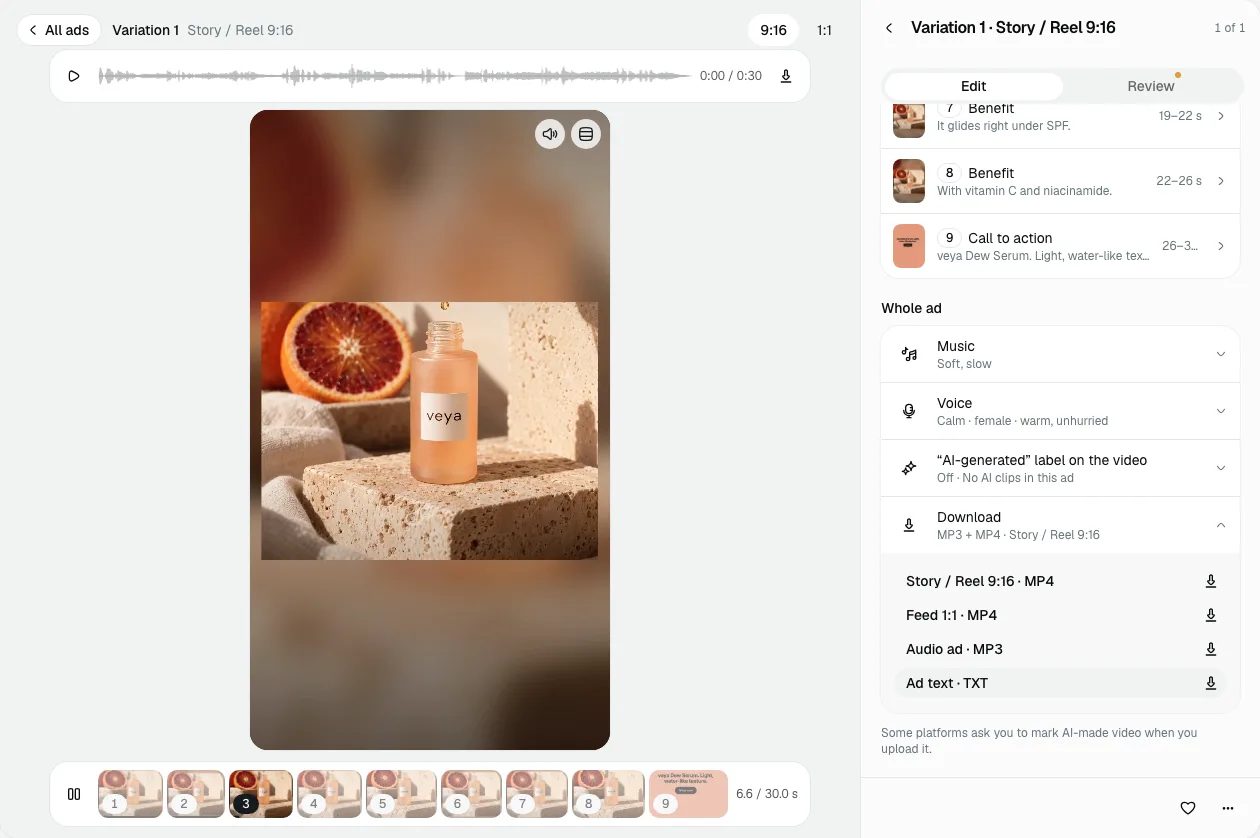
When the run is done, the panel's Audio section has a player for each variation: play it, see its waveform, and download the MP3.
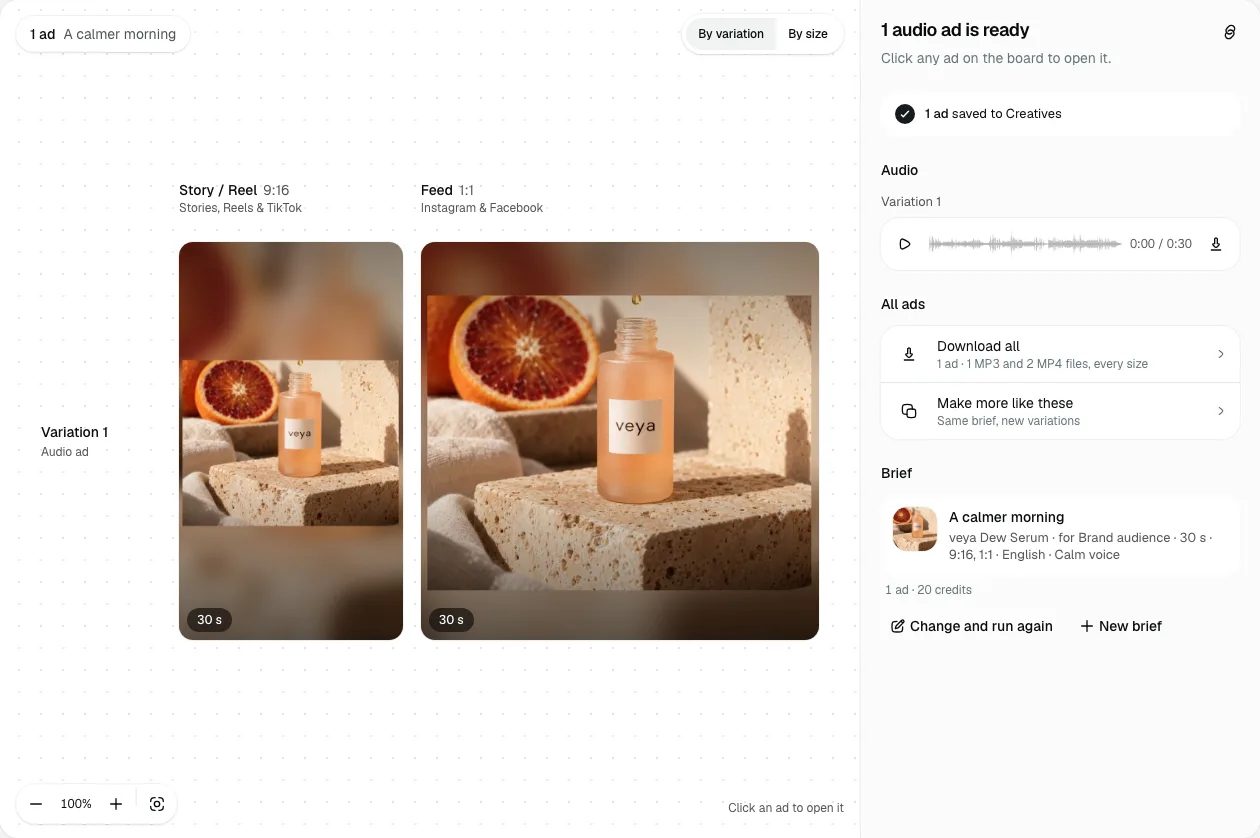
Click an ad on the board to open it. The audio player sits above the video; switch between the 9:16 and 1:1 sizes on the toolbar. Download gives you each size as an MP4, the Audio ad as an MP3, and the ad text as a text file. Download all, under All ads, gets everything in one .zip: for each variation, its MP4s, its MP3 and a 640 × 640 picture (the square image Spotify shows with a podcast ad). Downloading is free.
The MP3 is mixed for the loudness Spotify asks for. For each platform's own lengths, file types and loudness, see audio ad specs by platform.
Change a finished ad
The open ad's Edit tab lists what you can change, each with its price, or Free, before you press it.
- Describe a change in your own words, like "say the brand name sooner", and preview it before you apply.
- Under the scenes, each scene shows the line the voice reads there. Open one to rewrite that line and have it read again (Rewrite, which costs credits), the call to action on the end card included. A rewrite that would make the voice run past the ad's length is refused before you're charged. On the end card you can also change the headline and the button text for free.
- For the whole ad: Music (a new track costs credits, an earlier one is free), Change the voice (costs credits), and the "AI-generated" label on the videos (free to add or remove).
Some changes don't apply to an audio ad, because its timing comes from the script: the picture, the length and order of scenes, removing a scene or the end card, captions, new hooks and other languages. The Studio's video tools don't take an audio ad either.
One paid change runs at a time. Every change is a new version of the MP3 and both videos, and the strip under the ad shows them all; to undo a change, pick the version before it.
If something fails
If a voice, the music or a whole ad doesn't come out, the credits for it come back automatically when the run finishes. If the MP3 alone didn't work, the panel says so and the videos are still there. If you cancel, ads already finished stay in Creatives and the credits for everything not made yet come back.
Next: image tools.